Before Starting
From your administrative space, you can publish news about your organization, share it on social media in just a flew clicks, and interact with visitors through comments.
This article addresses the following points:
Create a blog page
Create the landing page
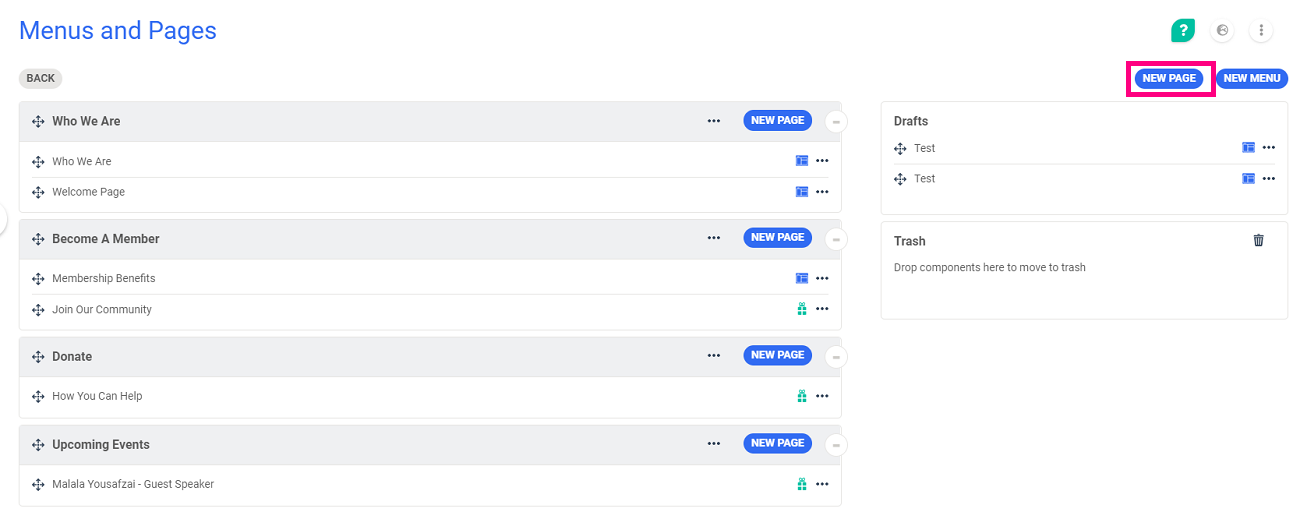
Blog pages are pages that allow you to publish articles. To create one, go to Website > Main Settings > Menus and Pages.
Click on the button New Page at the top right of the screen.
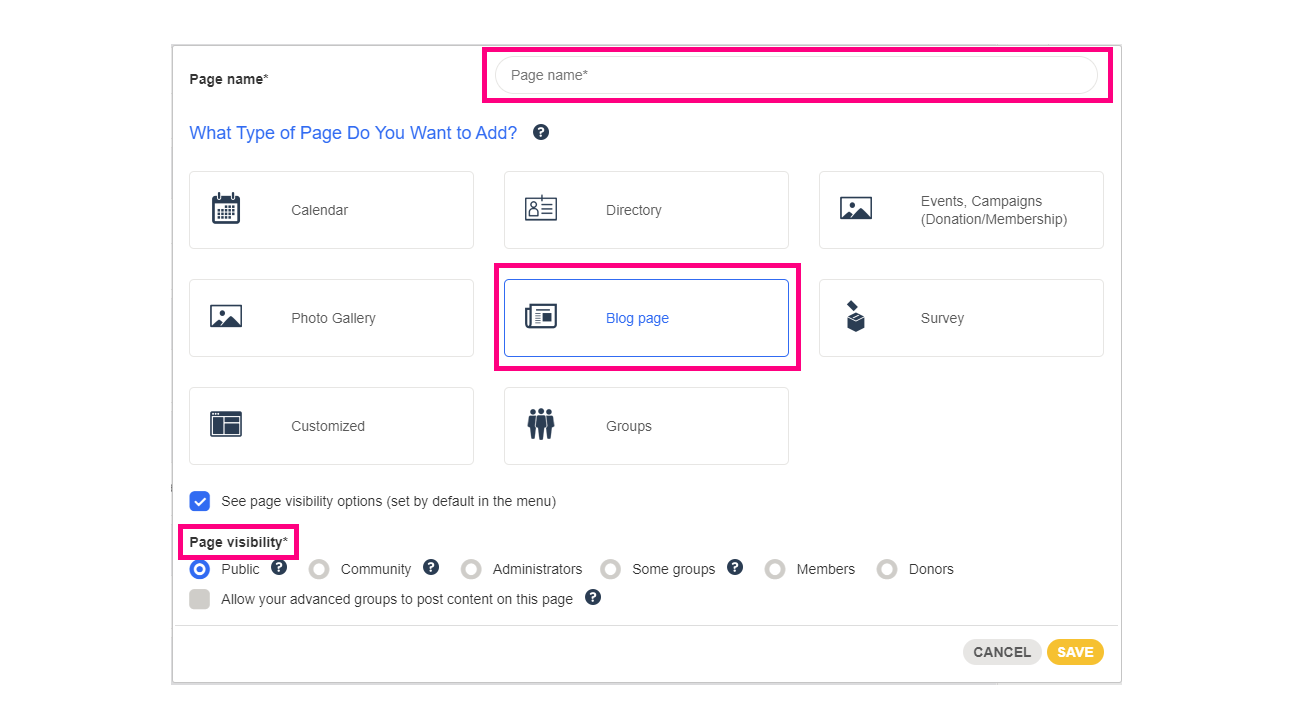
You can then choose the name of your new page, the type of the page, and set the visibility of your page:
Read this article to learn how to manage the visibility of menus and pages of the website.
Save: the page will be listed in drafts and you can move it under the menu of your choice.
Manage the layout of the page
Click on the three dots and then Edit page:
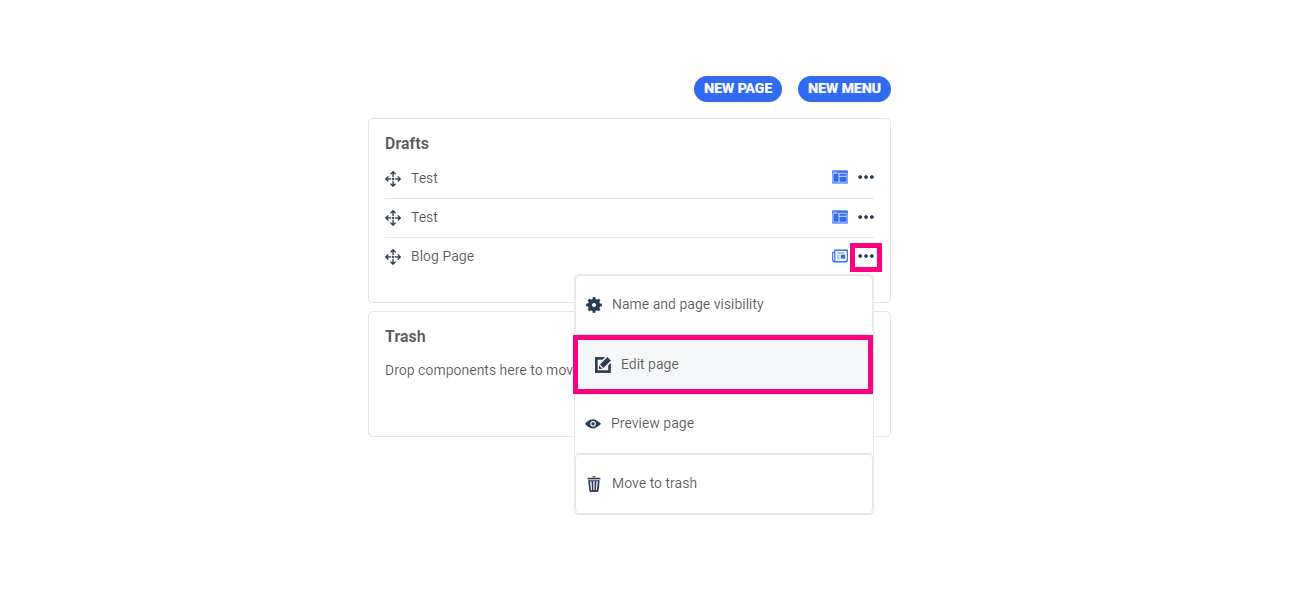
Click on the button  and choose the type of layout that you want for your page. The design of the page will change accordingly.
Once your blog page is created, you can now place this page in one of the menus of your website. Once the page is placed, you can start to create your first article.
Manage the publication of an article
Change the status of an article
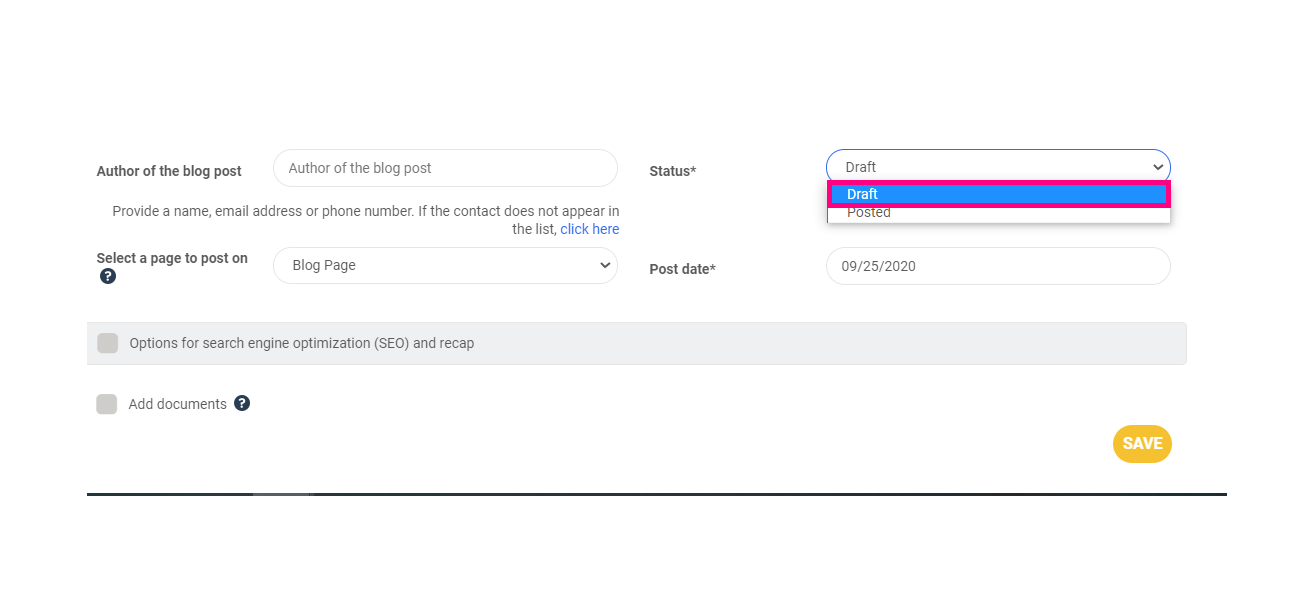
After publishing your article on one of your pages, update the status to Posted.
You have the possibility to save it as a draft from the Blog Posts page and by changing its status in the article's management page.
Delete an article
To delete an article, click on the  button in the top right of the Blog Posts page. Then click on the delete button on the article you want to delete.
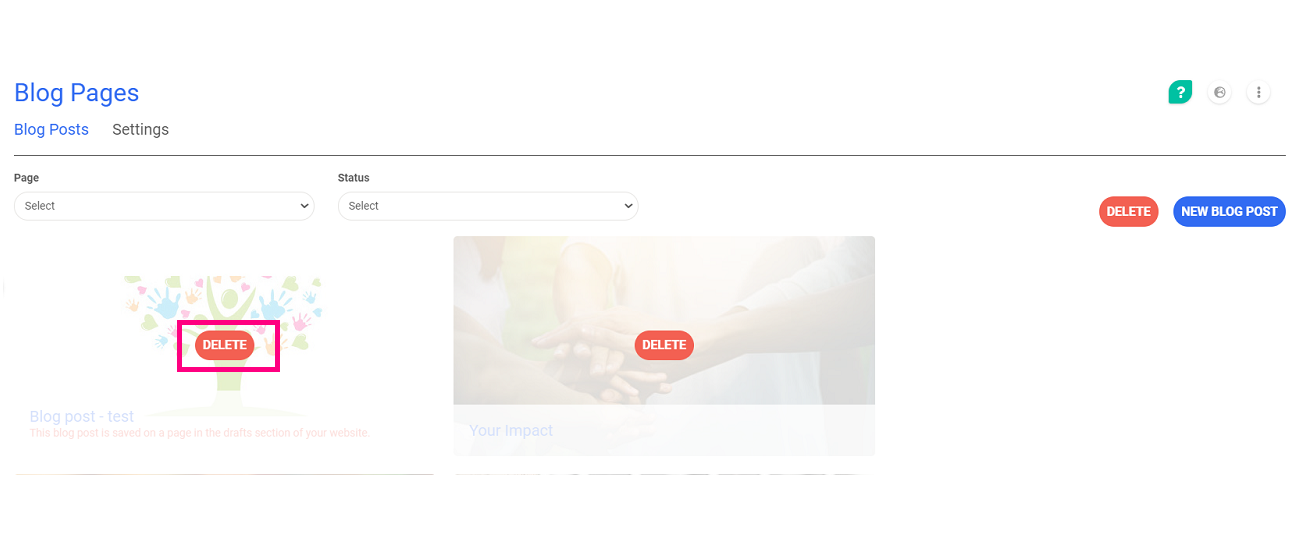
Warning: this article will be permanently deleted!
Comments
0 comments
Article is closed for comments.