Before starting
You have the possibility to customize your website, and for that purpose we have a gallery of themes at your disposal. These customizable themes enable you to choose the colors, font, and the general appearance of your website.
This article relates to the following points:
It is not possible to customize the theme of an advanced group in the software. The theme of an advanced group is the same as that of its main platform website.
Choose and customize a new theme
Where to edit the theme of your website
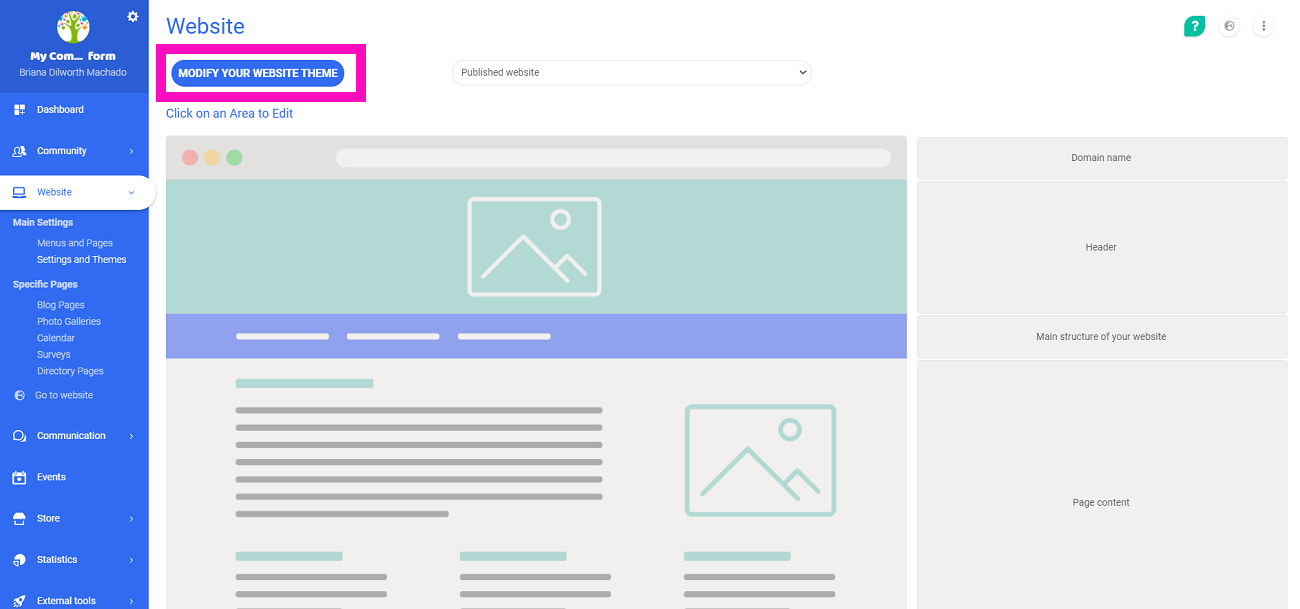
From the sidebar, go to the page Website > Main Settings > Settings and Themes.
Next, click the button modify your website theme. Now you will be on the theme preview page.
Customize the website theme
From the theme preview page, you can choose and customize your theme, and add the colors of your organization.
Simple customizations
On the main theme preview page, you have a preview of your website.
By clicking on change your theme, it offers more options of simple themes. You can then choose between the 7 themes. You can also choose the color that will be applied by default to the menu bar of your website.

Advanced Customizations
If you want to take your customization to the next level, check the box  below the color blocks.
Once this box is checked, an advanced settings menu will appear:

You will now be able to configure different options:
- colors of the website
- texture of the website theme
- font of the website
- field radius
- activate backgrounds of personalized pages in full screen
Customize the theme of an advanced group
An independent advanced group will be able to have a separate website from the main platform with its own menus and pages.
On the other hand, the option modify your website theme is not availible at the advanced group level.
The theme of the website will always depend on the main platform. The settings defined at the main level will be replicated on the group wesite, including:
- colors of the main website
- texture of the main website theme
- font of the main website
- field radius
- activate backgrounds of personalized pages in full screen
Comments
0 comments
Article is closed for comments.