Before starting
Your fully customizable and responsive website has been designed to be easy to use and adapted to your needs. You can manage the structure of your website at any time.
In this article, we will see how to:
Create a new menu
Warning: It is not possible to create drop-down menus, you can only create the menu and sub-menus (especially the pages).
You can create a new menu from the page Website > Main Settings > Menus and Pages
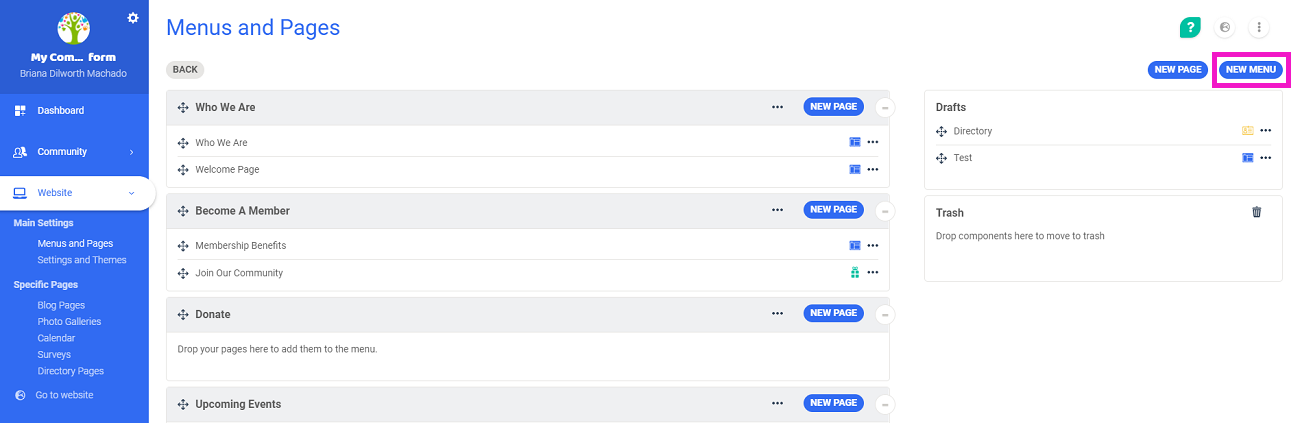
To create a menu, click on the button New Menu situated at the top right of the page.
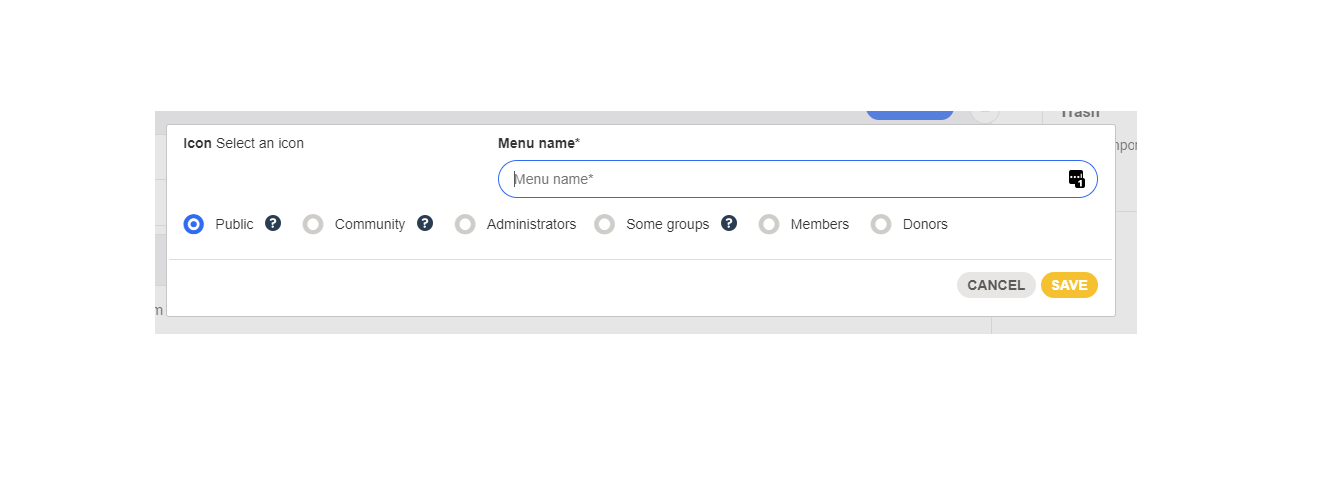
You will then be able to choose the name of the menu, then set the access rights to your menu.
Read how to manage the visibility of menus and pages of the website.
 Your menu has been created and will appear in your drafts.
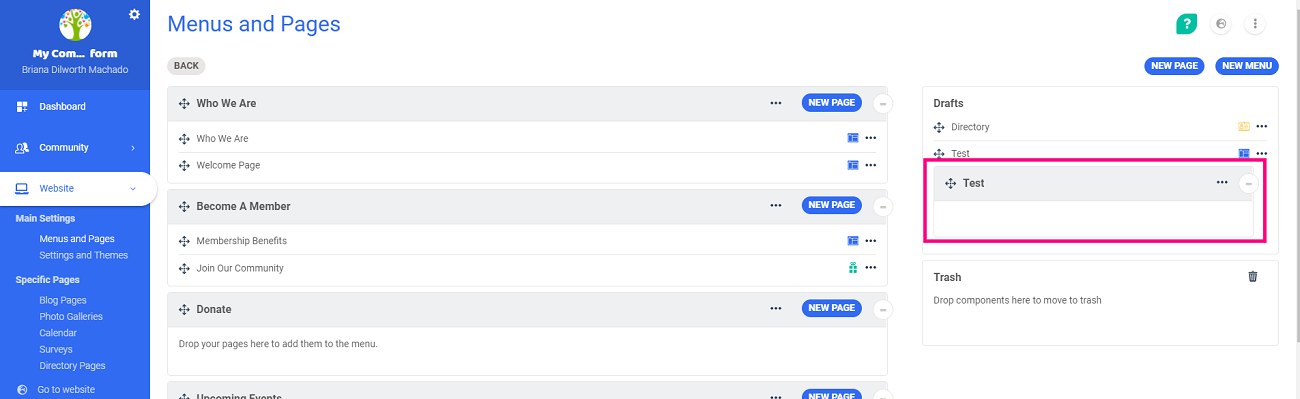
You will then be able to move the menu, and add it to your menu list.
Read how to change the order of menus on your website
Important: Your menu only appears on the website if pages are indexed to this menu.
Modify an existing menu
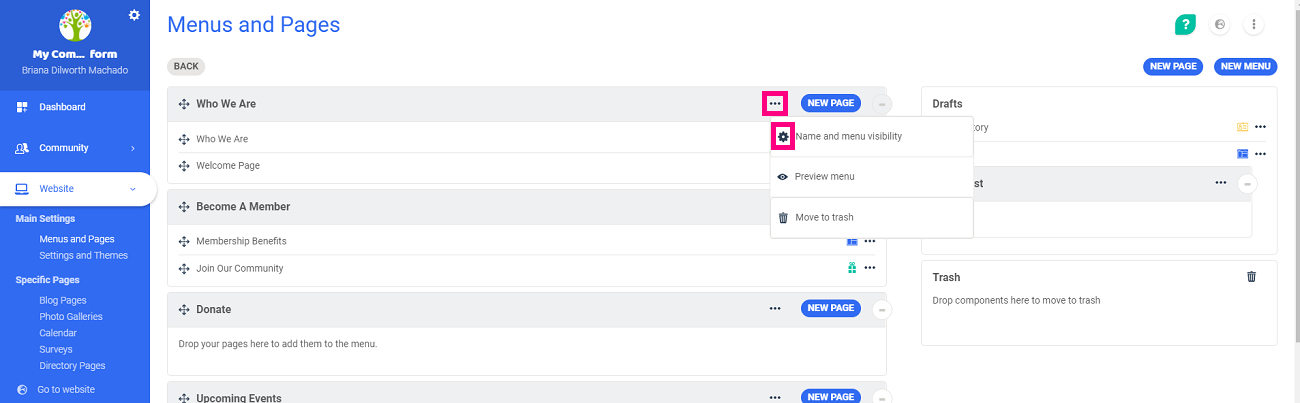
To see the settings of an existing menu, click on the three dots and then on the  icon to modify the name and the menu's visibility.
Delete a menu
To delete a menu, follow the following steps:
- Move the menu to the trash section
- Click on the
 icon to empty the trash and delete the menu
Comments
0 comments
Article is closed for comments.