Before Starting
The Donations, Memberships, Events and Online Store features allow you to record transactions, manage registrants and collect payments.
Below, you will find a list of the major functions of these features. For more information on each feature, please search for other articles in the Help Center.
This article covers the following points:
Discovering the Transaction Features
Main Idea
To simplify the use of the software, the ergonomics of the 4 features is very similar. For example, you will easily be able to create a ticketing event if you have already launched a membership campaign.
These features allow you to save transactions in two ways:
- Through offline sales, which you will manually enter as an admin
- Through online sales, which the buyer can register to, on their own
When you create a campaign/sale, you can choose between these two options:
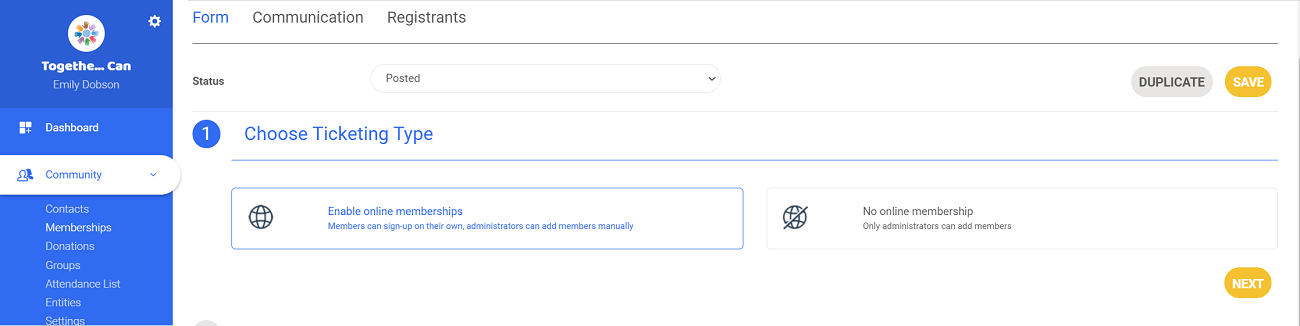
Online Sales
An online campaign/sale will be published on the website or accessible via link. Your community or the public (depending on your visibility settings) will be able to access it. People will be able to register and pay their fee by choosing a payment method among those offered.
As an admin, you can also manually register participants.
Offline Sales
An offline campaign/sale will not be visible on your website, and participants can only be manually added by admins.
How it Works
Your campaigns and sales are listed on each of their associated pages, aka in Community > Donations, Community > Memberships, Events or Store.
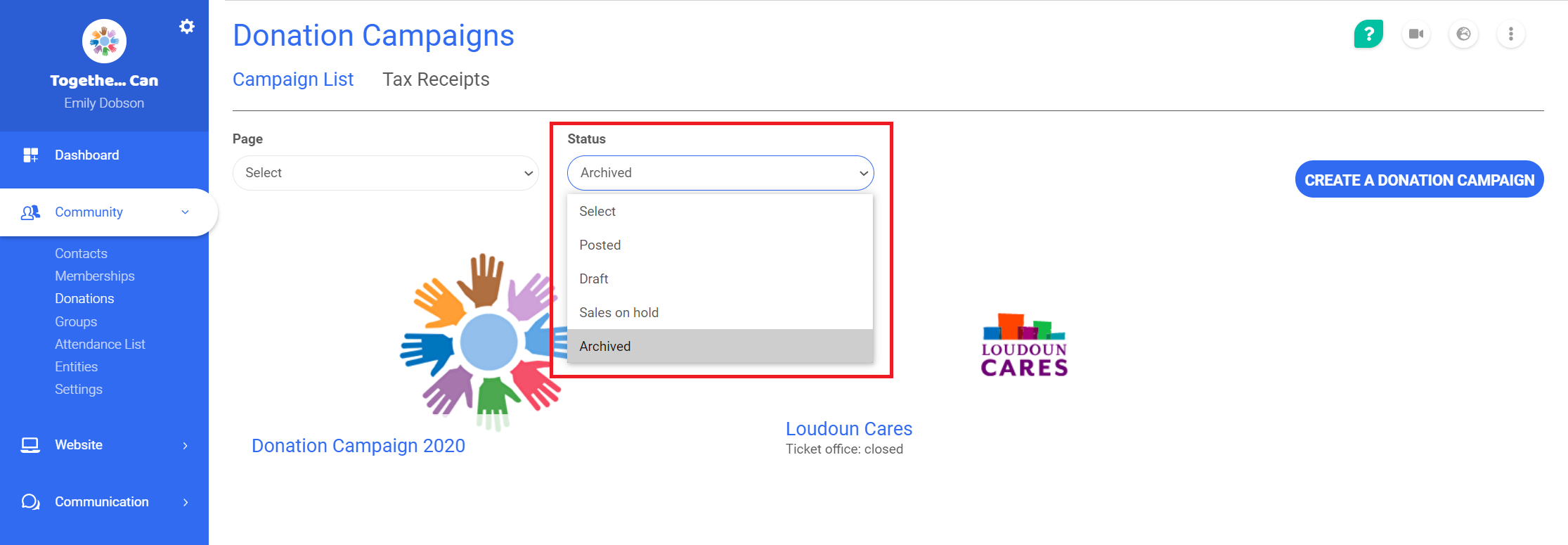
In each feature, you will find a list of all your campaigns/sales that are active, in order of when they were created. To see those that are archived, simply select this option in the drop-down list at the top of the page.
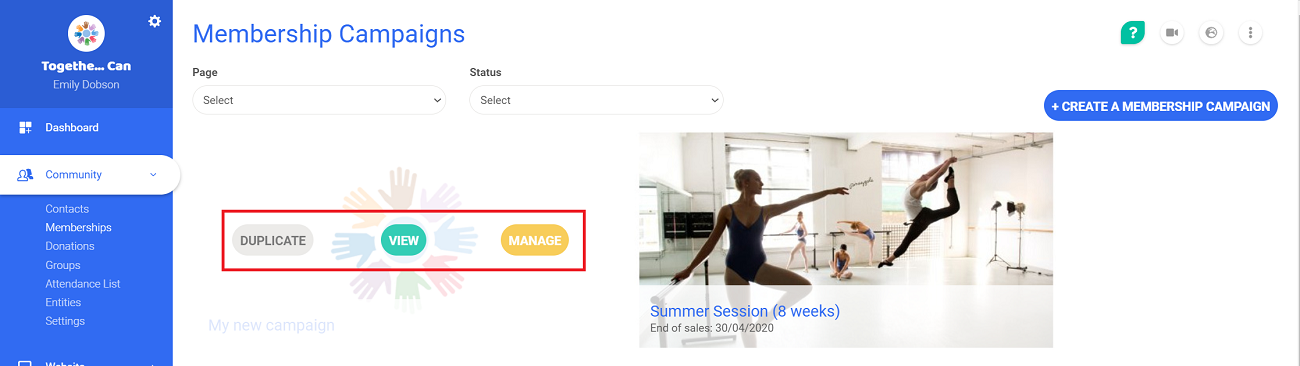
You have the possibility to duplicate, view or manage each campaign/sale. To access these options, hover your cursor over the campaign/sale.
To modify your campaign, select Manage. The page will then display 3 tabs:
- A form section, that allows to set up your campaign/sale
- A communication section, that holds the publishing links
- A registrants list, that provides an overview of all the transactions

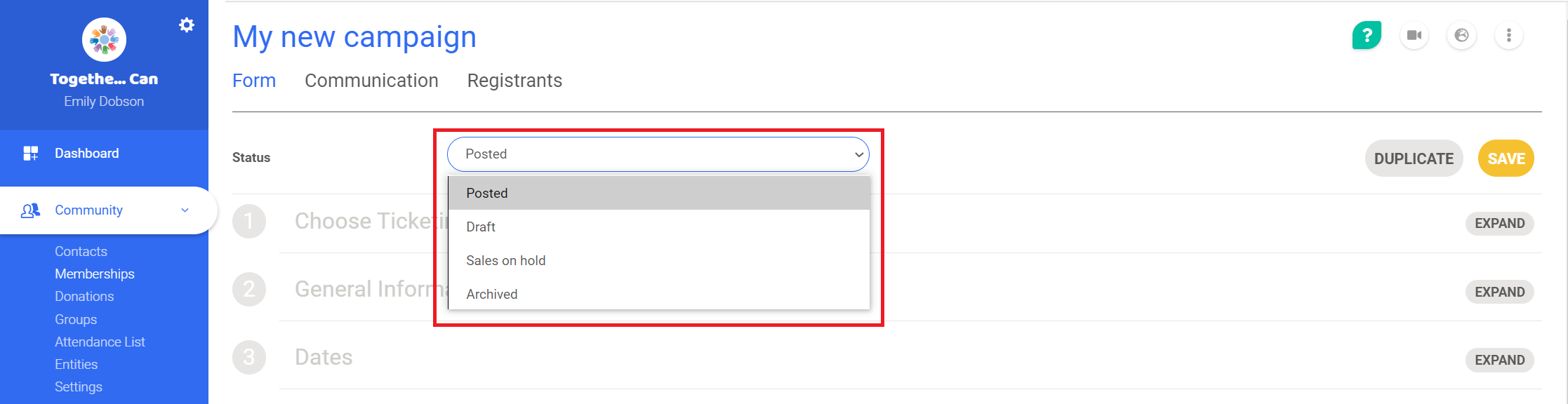
Additionally, in the Form tab you can manage the status of the campaign/sale via a drop-down list located at the top of the page.
Main Functions
Managing Sales/Registrations
The transaction features allow you to have a complete overview of all online and offline sales/registrations. If you wish to, you can also collect payments using your online account.
Memberships
Once your membership campaign is launched, you can manually add members.
If needed, you can import multiple contacts via an Excel import.
Donations
In the same way, you can create a donation campaign, and add donors one by one or multiple via an Excel import. It is equally possible to register recurring donations.
Events and Online Store
Creating a ticketing event or online store follows the same steps as a membership or donation campaign. Here you can also manage your stock, under Store > Stock Management.
Comments
0 comments
Article is closed for comments.