All of the event/donation/membership campaigns you create can be integrated into your website. The Communication tab on your campaigns gives you access to the iframe code which allows you to integrate the campaign.
Integrating the campaign
Go to the Communication tab of your campaign and locate the Offer URL section. Here you will find the field Insert your offer on a website.
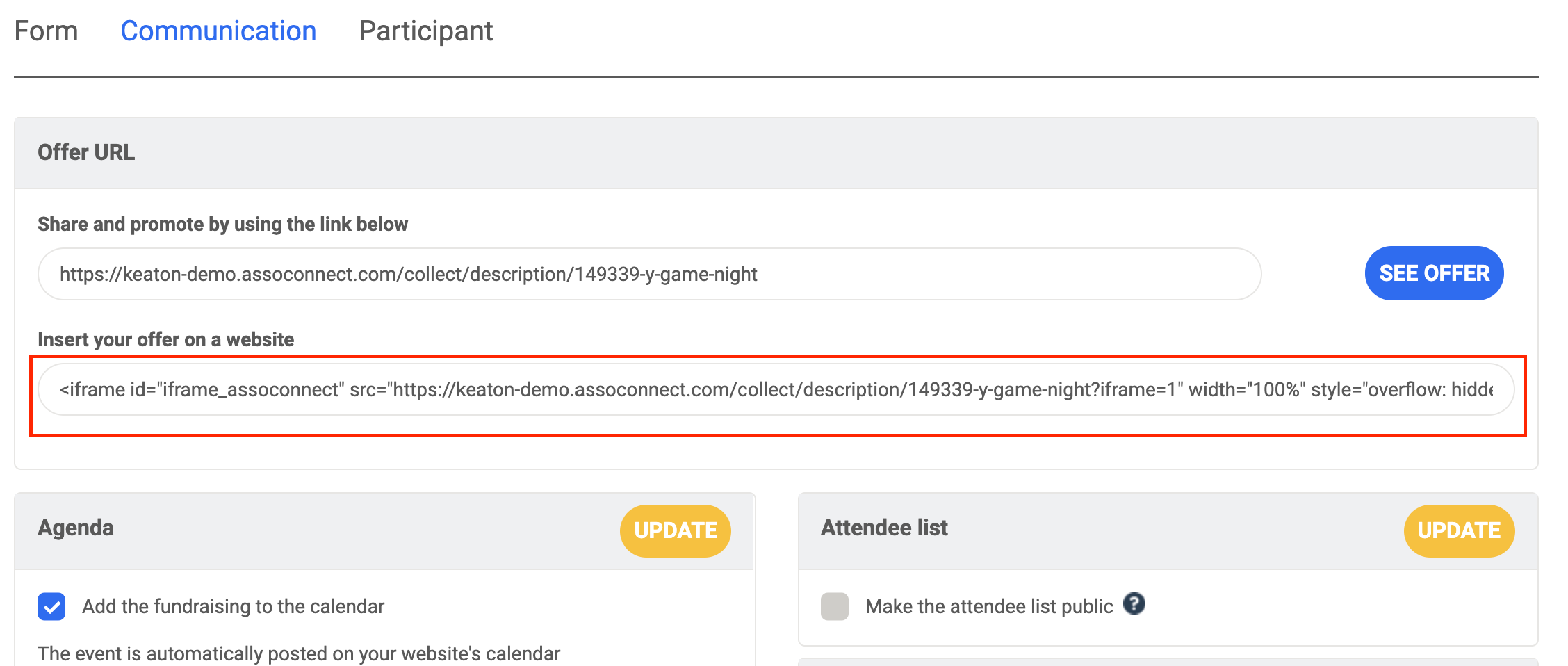
Here you will find the code allowing you to integrate the campaign directly into your website. This code is the iframe, copy & paste it into the HTML code of your website to integrate.
Useful Tips
The Springly iframe has a default width set to 800px. In addition the Springly iframe automatically resizes in height according to the size of your content (as far as your system allows it).
To change the width of the iframe, you can set the width parameter directly in the iframe code we generated for you. Let's take this iframe:
<iframe id="iframe_assoconnect" src="https://keaton-demo.assoconnect.com/collect/description/149339-y-game-night?iframe=1" width="100%" style="overflow: hidden; border: 0; max-height: none;" scrolling="no" onload="window.location.href='#iframe_assoconnect'"></iframe><script>window.addEventListener("message", function(event) {if(event.data.action === "iframe.height" && event.origin === "https://keaton-demo.assoconnect.com"){document.getElementById("iframe_assoconnect").height = event.data.height;}});</script><style>#iframe_assoconnect{border: 0}</style>
You can change the width by setting your own width.
It should be noted, however, that Springly pages are not optimized for displays smaller than pixels.
Comments
0 comments
Article is closed for comments.