The Events feature allows you to restrict your event at certain prices to certain people in your community.
For example, you may decide to restrict a price to certain groups or to types of registered people (members or donors) in your community. This article explains how to do so.
In order for a person to be recognized as a member/donor type they must log in to their account prior to the transaction. Buyers ordering without an account will therefore not be able to access the restricted price list.
Limit a rate to certain people
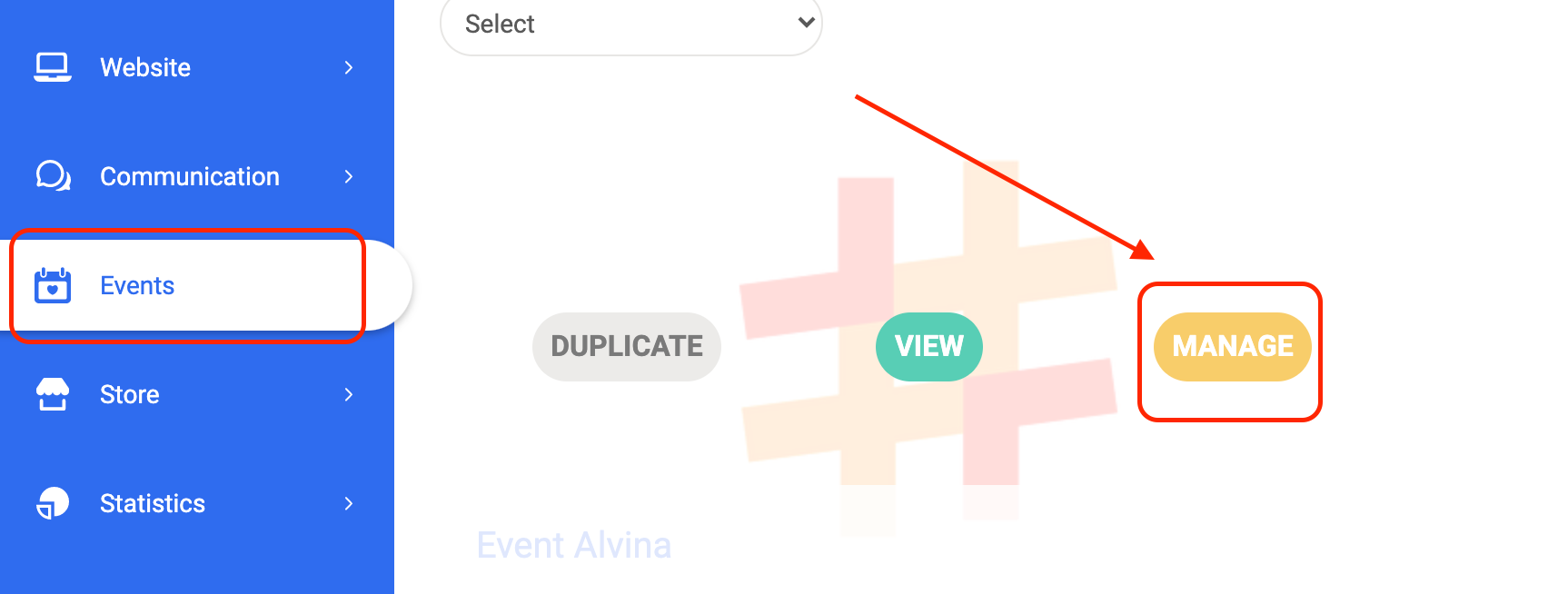
Go to Events then click on Manage in the target event and open the Prices section of the form.
Then open the target price you want to restrict:
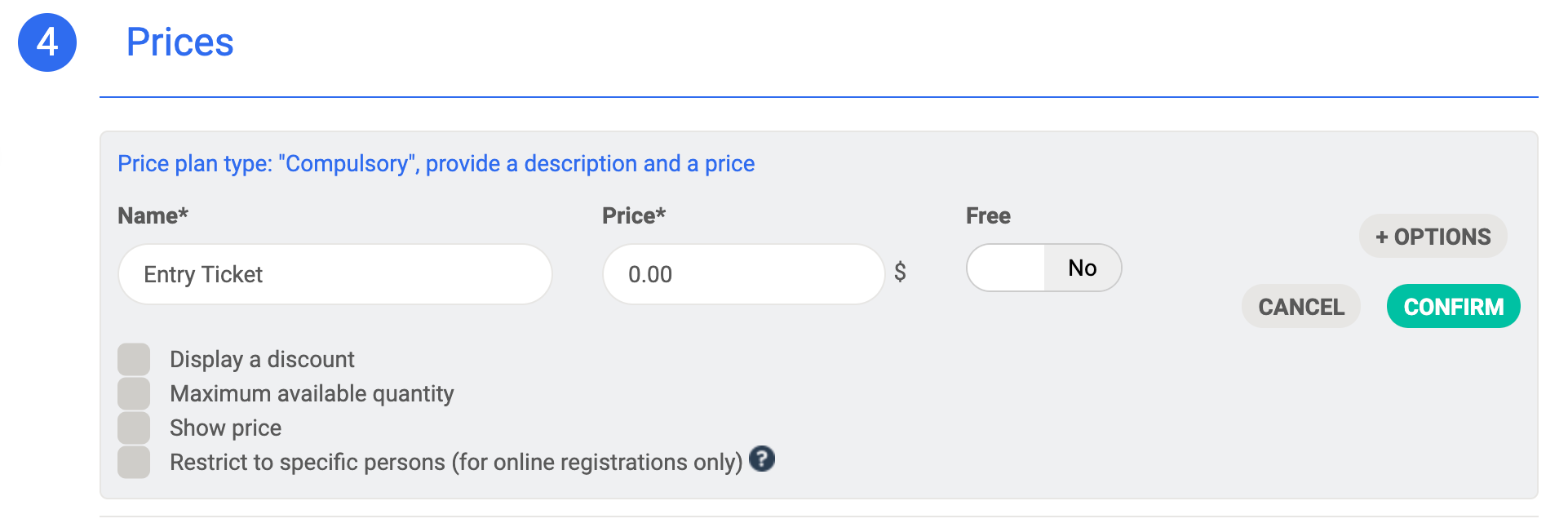
Click on the Restrict to specific persons option. A block is displayed that allows you to limit the service to certain types of people.
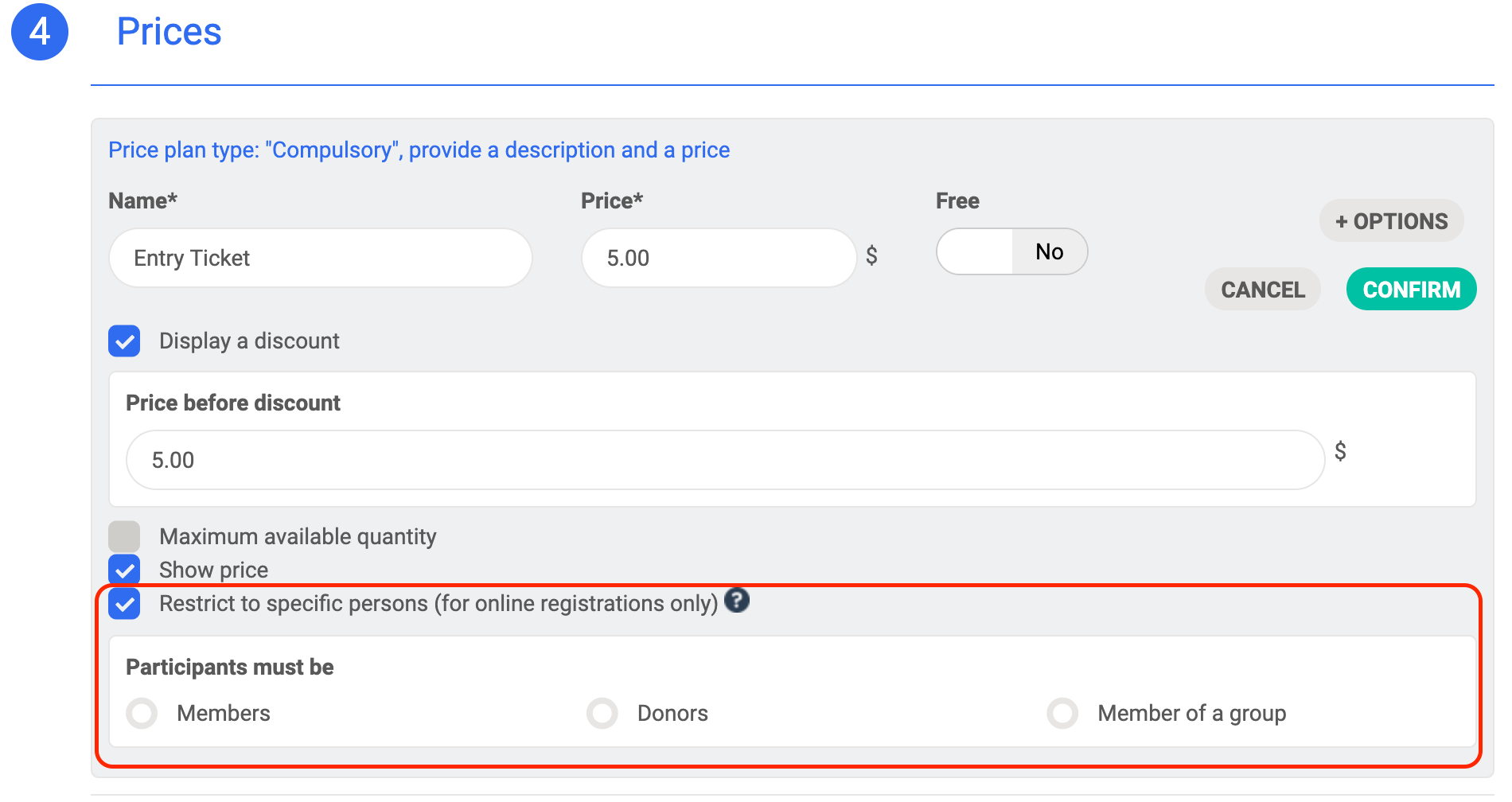
You can then choose to limit the service:
- To your members or donors.
- To people who belong to a group.
Validate the rate and save your changes: the rate is then restricted to certain people.
The administrator can add participants even if they do not meet the criteria to access the restricted rate.
You have checked the option and nothing is displayed.
If you have clicked on restrict to specific persons but no group is offered to you, it is because you do not have any groups created.
To remedy this go to Community > Groups mange your groups.
Comments
0 comments
Please sign in to leave a comment.