Before Starting
Access to your site or platform is by default accessible at the address www.name-of-your-platform.assoconnect.org.
If you want to customize the subdomain name, this is of course possible. However, if you want to have your own domain name as your URL, (www.my-nonprofit.com, for example) read the article Linking Your Website to a Domain Name You Already Own.
What is a Subdomain?
A subdomain is a part of the URL that provides access to a site. For example, the sub-domain of www.mynonprofit.assoconnect.com is "mynonprofit".
By default, your subdomain is the name of your organization, which you enter when you create your platform. It can be changed afterwards.
Change the Name of Your Site in the URL
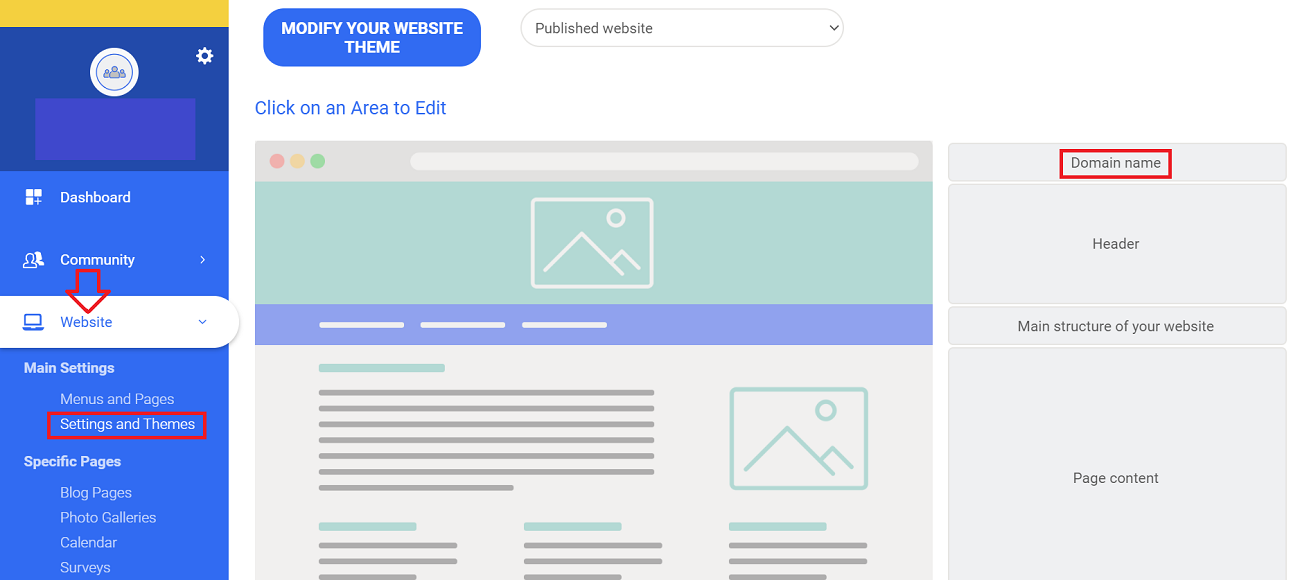
To change the subdomain of your platform go to Website > Settings and Themes > Domain Name :
You will then be redirected to this page shown below. You can then change the subdomain of your site. When you are done, click EDIT.
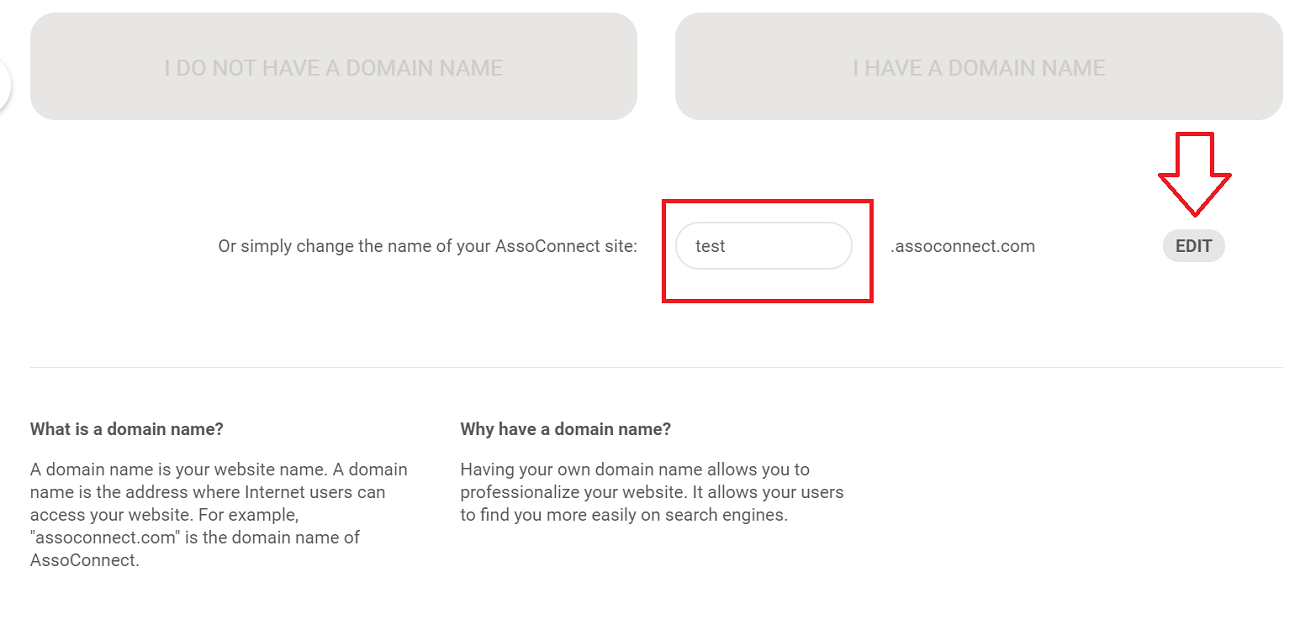
Once this change has been made, your site will no longer be accessible under [oldname].assoconnect.com but under [newname].assoconnect.com.
If you change this field, your subdomain, all of the old links will no longer work, so they will not link to anything. You will have to update your external media where any old links are embedded.
Comments
0 comments
Article is closed for comments.